

Write what you mean.
A desktop AI writing assistant. Select text in any app, press a shortcut, and a small popup rewrites, translates or polishes it, then replaces the original.
- macOS · Apple Silicon
- Windows · 64-bit
Available on request. The installer is about 3 MB.
 OntuLingoSelect text, press the shortcut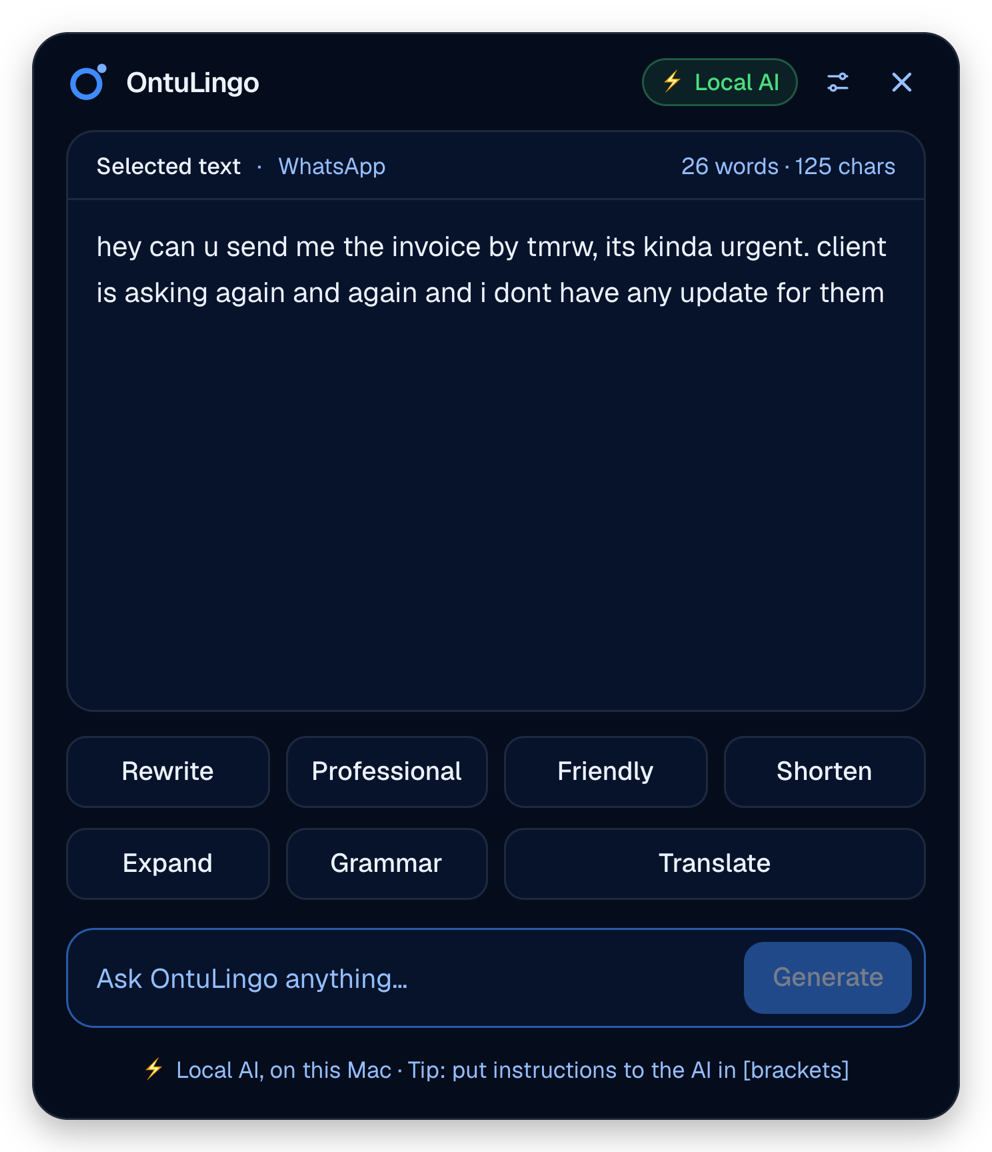
How it works
Four steps, without leaving the app you are writing in.
What it does
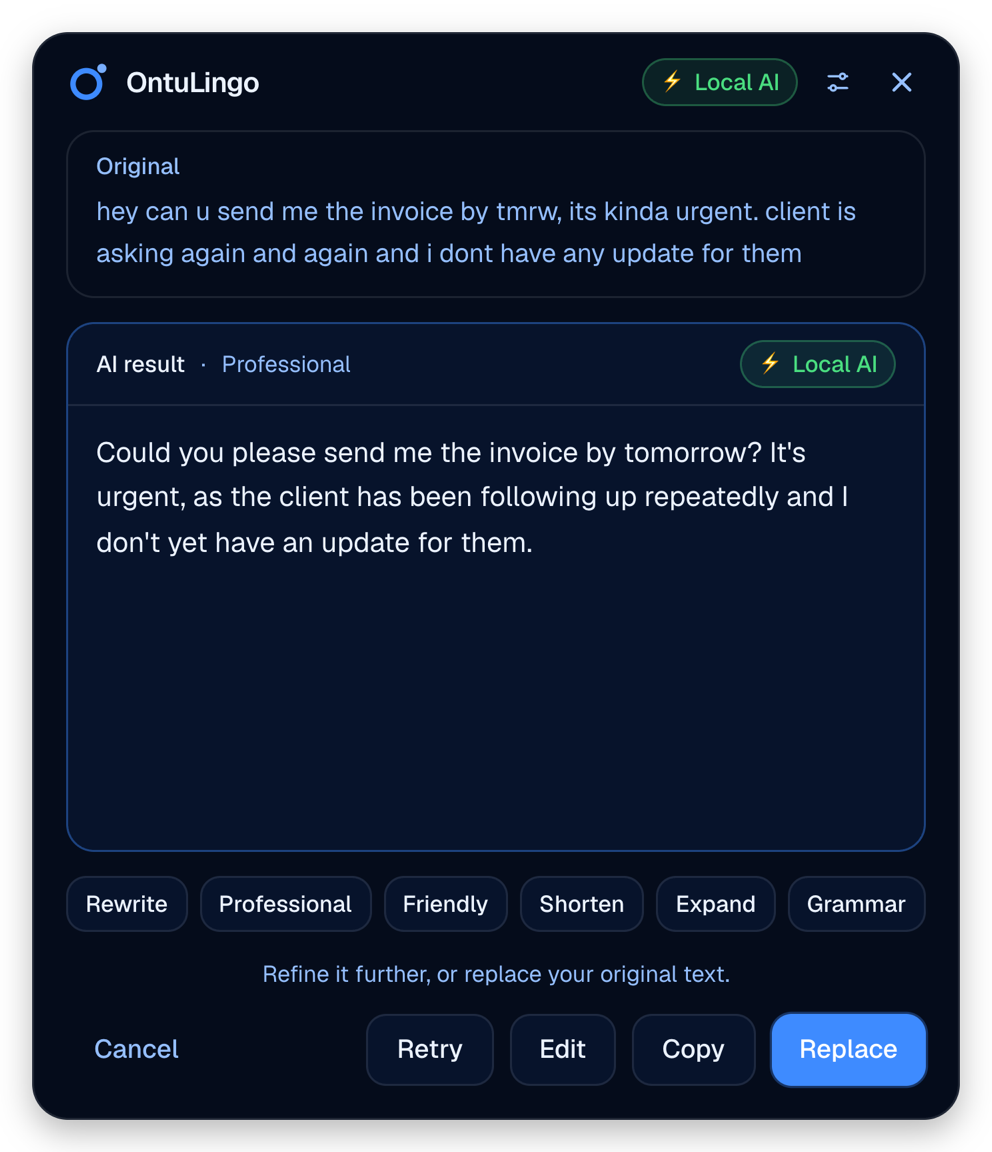
You see the result before anything changes
OntuLingo shows the original and the AI result together. Nothing in your document changes until you choose Replace.
- Replace puts the result where the original text was
- Copy keeps the original and puts the result on the clipboard
- Retry gives you a different version
- Edit lets you change the result by hand first
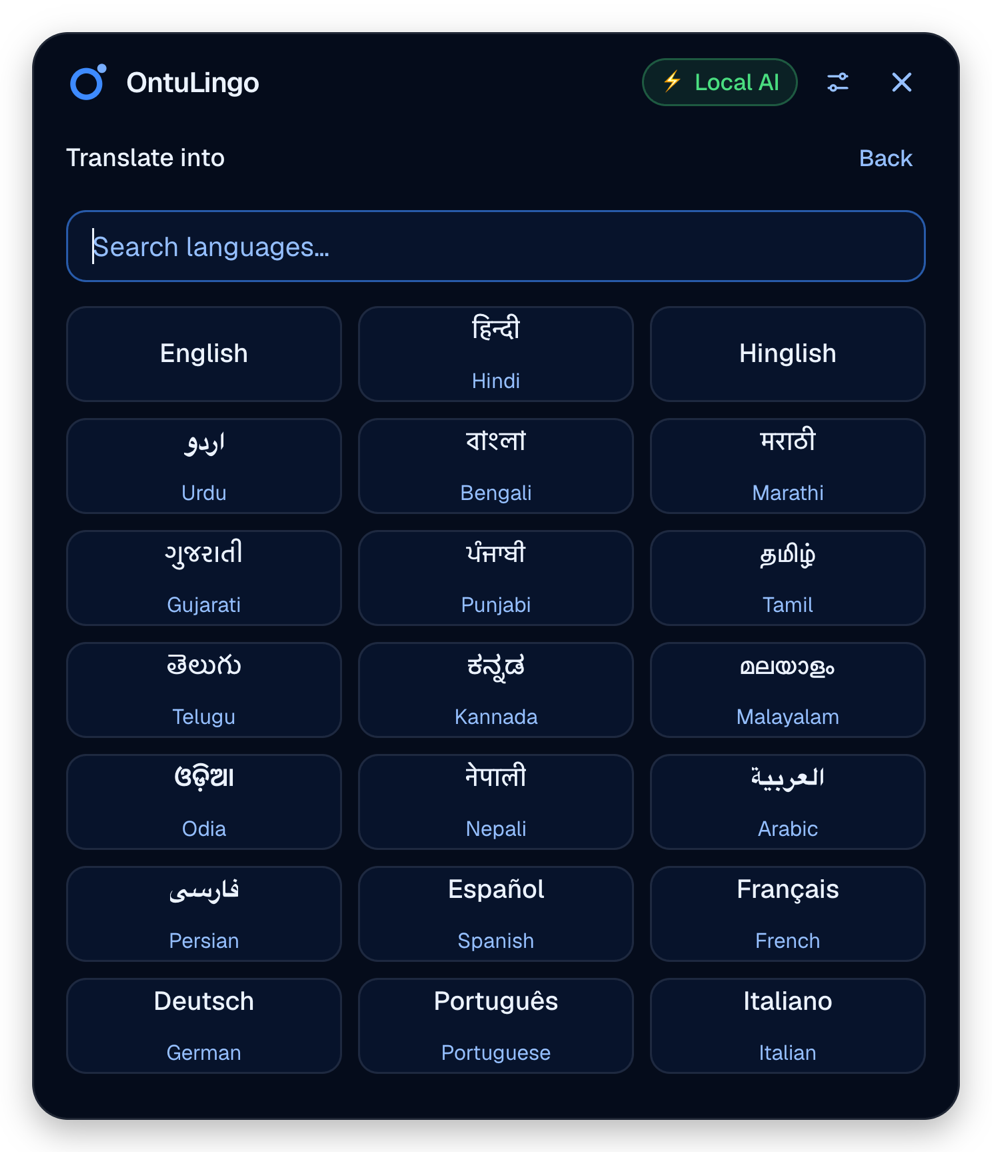
28 languages, with search
Pick a language from the list or type to find it. Indian languages and Hinglish are included.
- Hindi
- Hinglish
- Urdu
- Bengali
- Marathi
- Gujarati
- Punjabi
- Tamil
- Telugu
- Kannada
- Malayalam
- Arabic
- Spanish
- French
- German
- Chinese
- Japanese
- and 11 more
Privacy, and your choice of AI
OntuLingo does not store your text. You decide where it is processed.
API keys are kept in the macOS Keychain or the Windows Credential Manager, not in a settings file.
Mac and Windows
Frequently asked
Request a download
Tell us who you are and which platform you need. We review each request and email the download link once it is approved.